
Write Dialogue and Cuts in One Prompt
No upload: one paragraph with the action, a quoted line and two cuts. This 5-second take is also the source of the voice and the footage used further down.
Upload
Result
Black Friday: 30% off every plan (first payment) and every credit pack. Code MAGIBF30 is applied automatically at checkout. Ends Dec 1, 23:59 ET.
Get 30% offWrite the action, put the spoken lines in quotes and say where to cut. Magi 2 returns a 1080p clip of 4 to 30 seconds with voices, effects and music, from text, a picture, a first and last frame, or your own references.
Prompts asking for nudity, sexual content or a real person's face or voice are turned down before any credits are taken. Terms of Service
Shooting script1.
INT. CLOCKMAKER'S WORKSHOP - NIGHTDozens of clocks tick on the walls. An old clockmaker holds an open pocket watch up to his apprentice.Clockmaker (softly)“Listen. Every clock has a heartbeat.”Cut to:Extreme close-up - brass gears turningCut to:Back on the apprentice, leaning in, smiling.Six takes rendered by Magi 2 for MagiAI from our own pictures, and from the sound and footage of our own first take. Open one to load its prompt, uploads and settings.
Six inputs, six real takes
What you attach decides the job: nothing for text to video, one picture to set the opening frame, two for a first and last frame, and pictures, clips or sound files as references. Each panel puts the real upload beside the real result.
No upload: one paragraph with the action, a quoted line and two cuts. This 5-second take is also the source of the voice and the footage used further down.
Upload
Result
Your picture is the opening frame. Say what moves, what the camera does and what we hear; the shape follows the closest of the six ratios.
Upload

Result
Two pictures and First & last frame selected: Magi 2 works out everything in between, here a closed bud opening into a red tulip.
Upload


Result
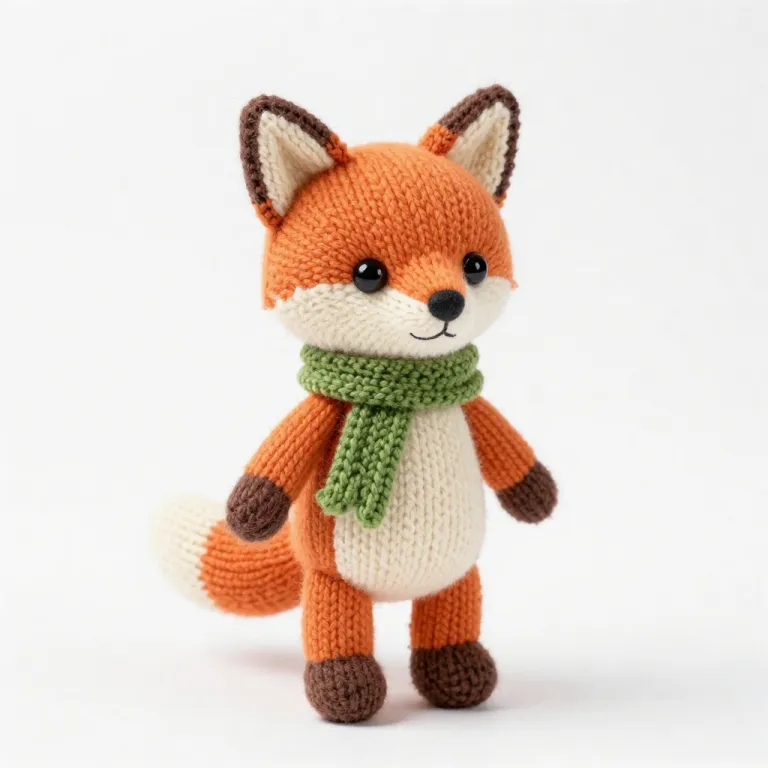
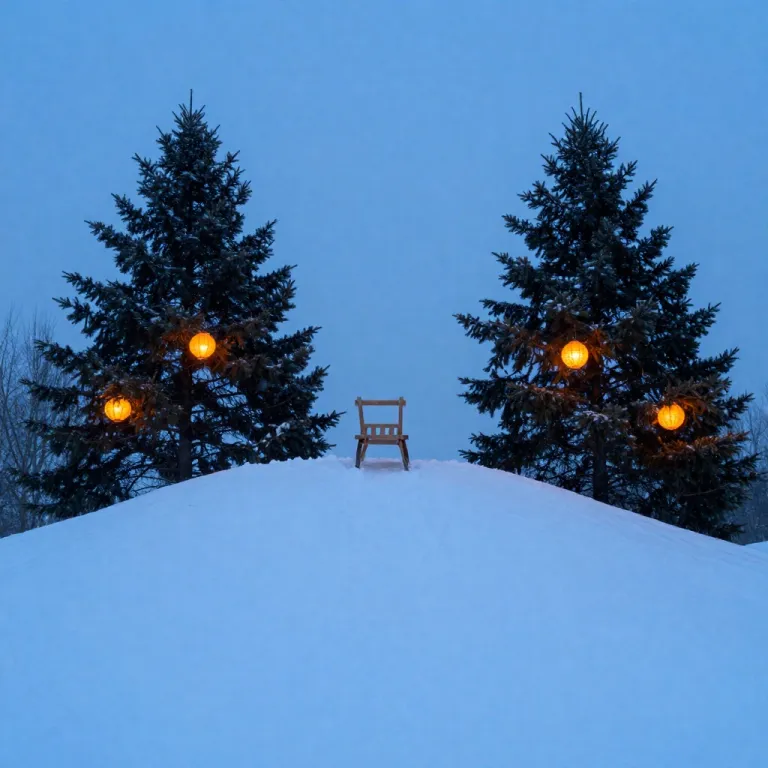
Up to 10 reference pictures. Name them @Image1, @Image2 in the prompt and say what each one is; the knitted fox kept its stitches on the way down.
Upload
Result
Attach a sound file as @Audio1 next to a picture. Here the clockmaker's line from the take above becomes the voice of a felt owl.
Upload

Result
Attach footage as @Video1 to guide the motion and the camera. The workshop take came back as paper cut-outs with the same push-in.
Upload
Result
What you can make
Each clip here came from Magi 2 for this page. The button loads its prompt and, where there was one, its upload.
Sketch a beat of a short drama, an explainer intro or an ad with a spoken line, and get it with the voice and the cuts already in. Check the wording before you publish: spoken lines can drift.
Upload your character and a setting, name them @Image1 and @Image2, and place the same mascot in a new scene for each post. Up to 10 pictures per job.
Use a clip you already have as @Video1 and ask for a new style: paper cut-out, claymation, watercolour. The motion and the camera move carry over; the footage itself is not billed.
Who is there, what they do, what they say in quotes, where the camera goes and when to cut. Attach a picture, two frames, references, a clip or a sound file if you have them.
4 to 30 seconds and one of six aspect ratios. With two pictures, choose First & last frame or Use as reference. The button shows the credits before anything runs.
Finished clips land in your library with their sound. Change a line, a cut or a camera move and run another take.
Why MagiAI
The model writes picture and sound together; the site makes the price clear before you press the button.
Any whole length from 4 to 30 seconds, in 16:9, 9:16, 1:1, 4:3, 3:4 or 21:9. Every take is 1080p, so there is no resolution to choose and no upsell: 16 credits a second.
Put spoken lines in quotes and name the speaker; describe the room tone and the score. The soundtrack is rendered with the picture, and every clip on this page has one behind its speaker button.
Add up to 10 pictures, 5 clips and 5 sound files to one job. You pay for the seconds you get back, never for the footage or audio you upload.
The server prices each take from its length alone and shows it on the button. If the render fails or the prompt is declined, every credit returns to your balance.
Takes are paid for with credits. A pack suits a single project; a plan suits anyone who publishes video every week.
Lite
For a few takes a month.
roughly $0.007 a credit
About $0.58 per take
Included
Pro
For people who post video every week.
roughly $0.006 a credit
About $0.46 per take
All of Lite, and also
Ultra
For studios and teams rendering daily.
roughly $0.005 a credit
About $0.39 per take
All of Pro, and also
Any applicable tax is already in the price.
How-tos, prices and test runs for this model.
Questions
Sign in, write the scene and press the button. Your attachments pick the job: none means text to video, one picture is the opening frame, two pictures can be a first and last frame, and further pictures, clips or sound files become references. Clips appear in your library when they finish.
Sand AI's flagship video model, released on 24 November 2026. Sand AI says it renders up to 30 seconds at 1080p and 25 frames a second, with dialogue, effects and music made in the same pass, follows up to 10 pictures, 5 clips and 5 sound files, and cuts shots where the prompt asks. Sand AI has said it will open-source MAGI-2 but has given no date; today only MAGI-1 and the smaller MAGI-2 Preview have open weights. MagiAI reaches it through WaveSpeed's API.
Both are in the model menu. Magi 2 is one price, 16 credits a second at 1080p, runs 4 to 30 seconds, adds a 21:9 shape and never charges for references. Wan 3.0 starts lower (10 credits a second at 480p), costs 40 a second at 1080p, and can edit or extend a clip you already have.
Once the queue was moving, our takes finished in 2.5 to 5 minutes each: 156 seconds for the 5-second dialogue scene, 184 to 308 seconds for the voice and restyle reference jobs. The launch-day queue was uneven: our two-picture reference job sat in it for 87 minutes, and some first attempts failed and were refunded. A failed or declined take always returns its credits.
Not for video. A new account gets 10 credits, enough for two pictures in the Image tab. The shortest Magi 2 take, 4 seconds, costs 64 credits, so video starts with a pack or a plan.
Yes. Put the line in quotation marks and say who speaks it, as in our clockmaker take. Sound effects and music are rendered in the same pass. Wording, pronunciation and timing can come out differently from what you wrote, so listen before you publish. To fix a voice, attach a recording as @Audio1.
Up to 10 pictures, 5 video clips and 5 sound files in one job. Clips and sound files should each run 2 to 30 seconds, with 30 seconds in total per type; longer ones are trimmed. Refer to them as @Image1, @Video1, @Audio1 in the order you attached them and say what each is for.
Not directly. A clip you attach guides the motion, camera and style of a new take; it is not cut in or kept as is. To edit or extend footage, switch the model menu to Wan 3.0, which has both.
Mostly, within limits Sand AI lists itself: very fast motion can break continuity, 2D animation can look over-smooth, and busy soundscapes come out thin. Early testers also report voices that lag behind the picture in quality, music that turns muddy when several instruments are asked for, and feet that slide. Write what should happen rather than what to avoid, and keep one action per shot. Failed or declined takes are refunded.
16 credits for each second you ask for, at 1080p. The default 5-second take is 80 credits, the shortest (4 seconds) 64, the longest (30 seconds) 480. Aspect ratio, sound, frames and every reference you upload add nothing.
Any whole number of seconds from 4 to 30, in 16:9, 9:16, 1:1, 4:3, 3:4 or 21:9. Output is always 1080p. When a picture opens the clip, the closest of the six ratios to that picture is used and the picture may be cropped at the edges.
That depends on the current terms of Sand AI and WaveSpeed, which we can't interpret for you. Read them before client work, and keep real people's faces and voices, other companies' logos and material you don't own out of prompts and uploads.
No. MagiAI is an independent site that sends your requests to Magi 2 through WaveSpeed, a third-party API platform. Sand AI does not operate, endorse or partner with it.
Get a pack or a plan. The button prices every take before it runs, and a render that fails hands its credits back.